Find any note on your reMarkable in 2 taps.
The simple planner + notes system for planning, meetings and everything in between. Native for Paper Pro, Paper Pure, reMarkable 2 and Paper Pro Move. Pay once, no subscription.
- One tap to today, two taps to anything else
- A full lined notes page linked to every day
- Right- and left-handed versions included
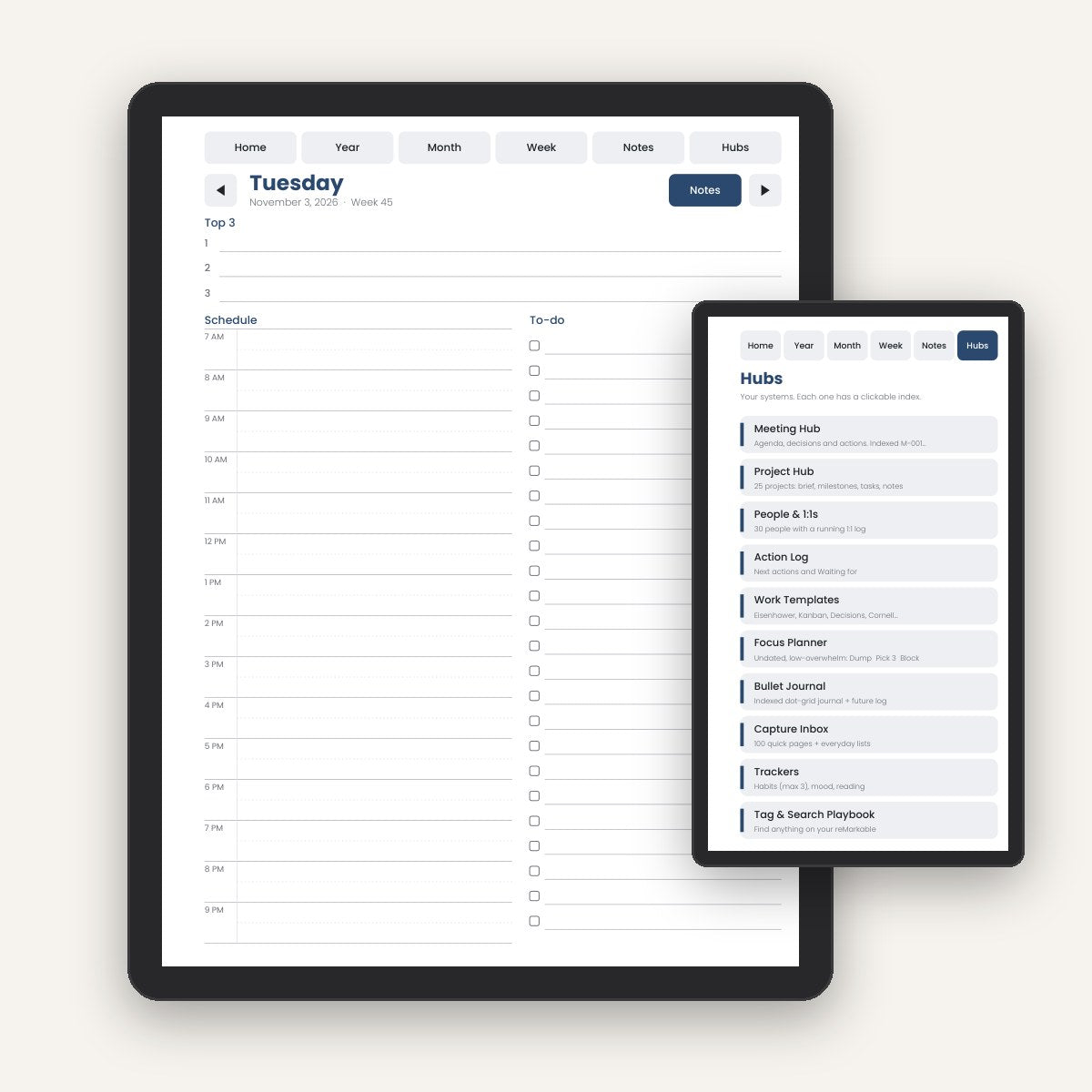
Less pages. More clarity.
Most planners give you 3,000 pages and 10,000 links. You give up by February. TwoTap gives you a system you will still use in March.
Typical reMarkable planners
- Cluttered pages, overwhelming sections
- Notes scattered, impossible to find later
- Tiny lines and boxes, shrunk files on the Move
- Tabs under the toolbar, two taps to go back
- Searching handwriting needs a subscription
TwoTap Planner
- Low-density pages with room to write
- Codes + clickable indexes: find anything in 2 taps
- Native files for every model, no zooming
- Navigation designed around the toolbar
- Pay once. No subscription, ever
Choose your edition
Every edition includes all 4 reMarkable models, right- and left-handed versions, Sunday or Monday start.
Essentials

- 15-month planner · Oct 2026 – Dec 2027
- Daily page + full notes page for every day
- Year, month and week views
- Notes Library: 100 indexed pages
- All 4 models · right & left-handed
- Start Here guide
Complete

- Everything in Work OS
- Focus Planner · undated, ADHD-friendly design
- Bullet Journal with clickable index + future log
- Capture Inbox (100 pages) + everyday lists
- Habit, mood & reading trackers
- BONUS Tag & Search Playbook
- BONUS Free 2028 edition
- BONUS Lifetime compatibility updates
Work OS

- Everything in Essentials
- Meeting Hub: 200 indexed meetings
- Project Hub: 25 projects
- People & 1:1 log: 30 people
- Action Log: next actions + waiting for
- 6 work templates
🔒 100% secure checkout · Visa, Mastercard, Apple Pay, Google Pay, PayPal · Pay once, no subscription
What's inside
One file. Everything linked. Everything findable.
15-month calendar
Year, month and week views from Oct 2026 to Dec 2027.
Daily pages
Top 3, schedule and to-do on one calm page.
Notes for every day
A full lined page linked to each date.
Clickable indexes
Codes like M-042 or N-015 take you anywhere in 2 taps.
Meetings, projects, people
Work OS hubs with agenda, decisions and actions.
Focus Planner
Undated pages: Dump, Pick 3, Block it. Restart anytime.
Why TwoTap
Built from hundreds of reMarkable owners' reviews and complaints about existing planners.
Made for each model
Native 3:4 files for Paper Pro, Paper Pure and reMarkable 2. Native 9:16 for the Move.
Right & left-handed
Navigation stays clear of your toolbar, whichever hand you write with.
Room to write
7 mm line spacing and low-density layouts. No more writing tiny.
Fast and light
Lightweight files for instant page turns. Every link tested before release.
No subscription
Pay once and own it. Works without reMarkable Connect.
Compatibility guarantee
If a firmware update breaks something, the fix is free. Or your money back.
Take a closer look inside
Real pages from the planner, exactly as they appear on your device.
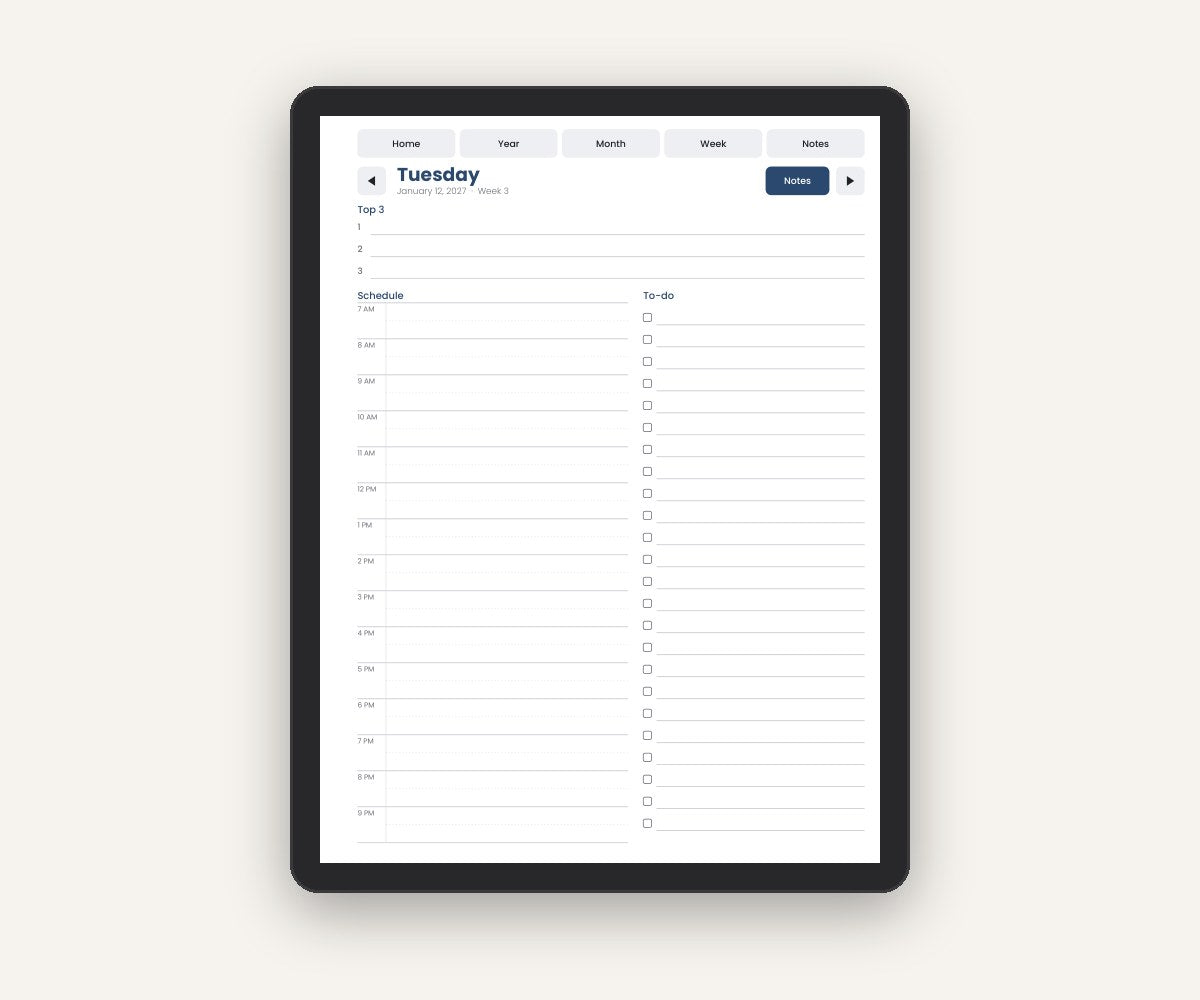
Plan the day in one calm page
Top 3 priorities, an hourly schedule and a to-do list side by side. Tap "Notes" for a full lined page that belongs to that day, or tap the arrows to jump to yesterday or tomorrow.
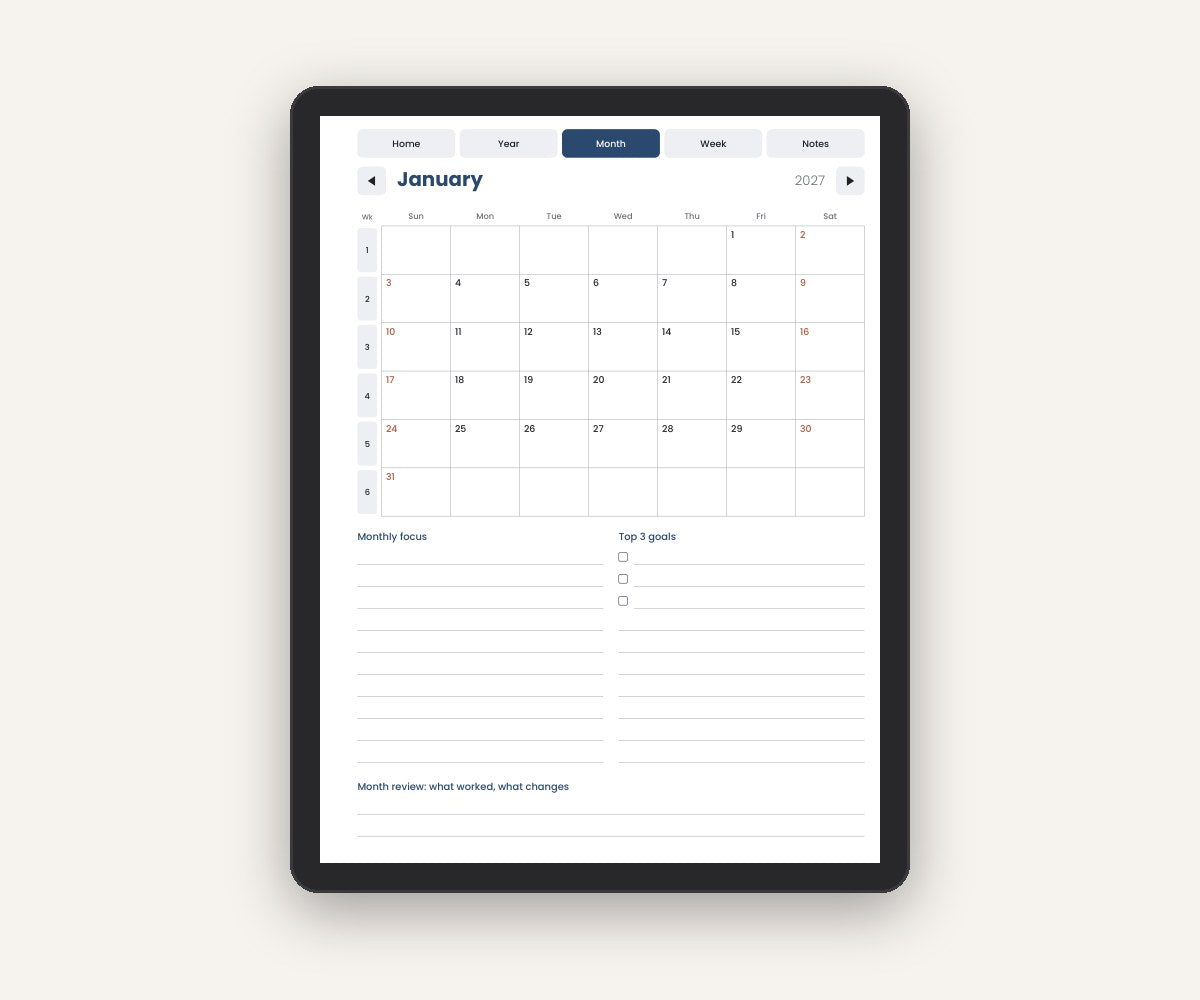
See the big picture, then dive in
Every date opens its daily page. Week numbers open the weekly plan with 3 priorities and a 15-minute Weekly Reset. Correct ISO week numbers for European users.
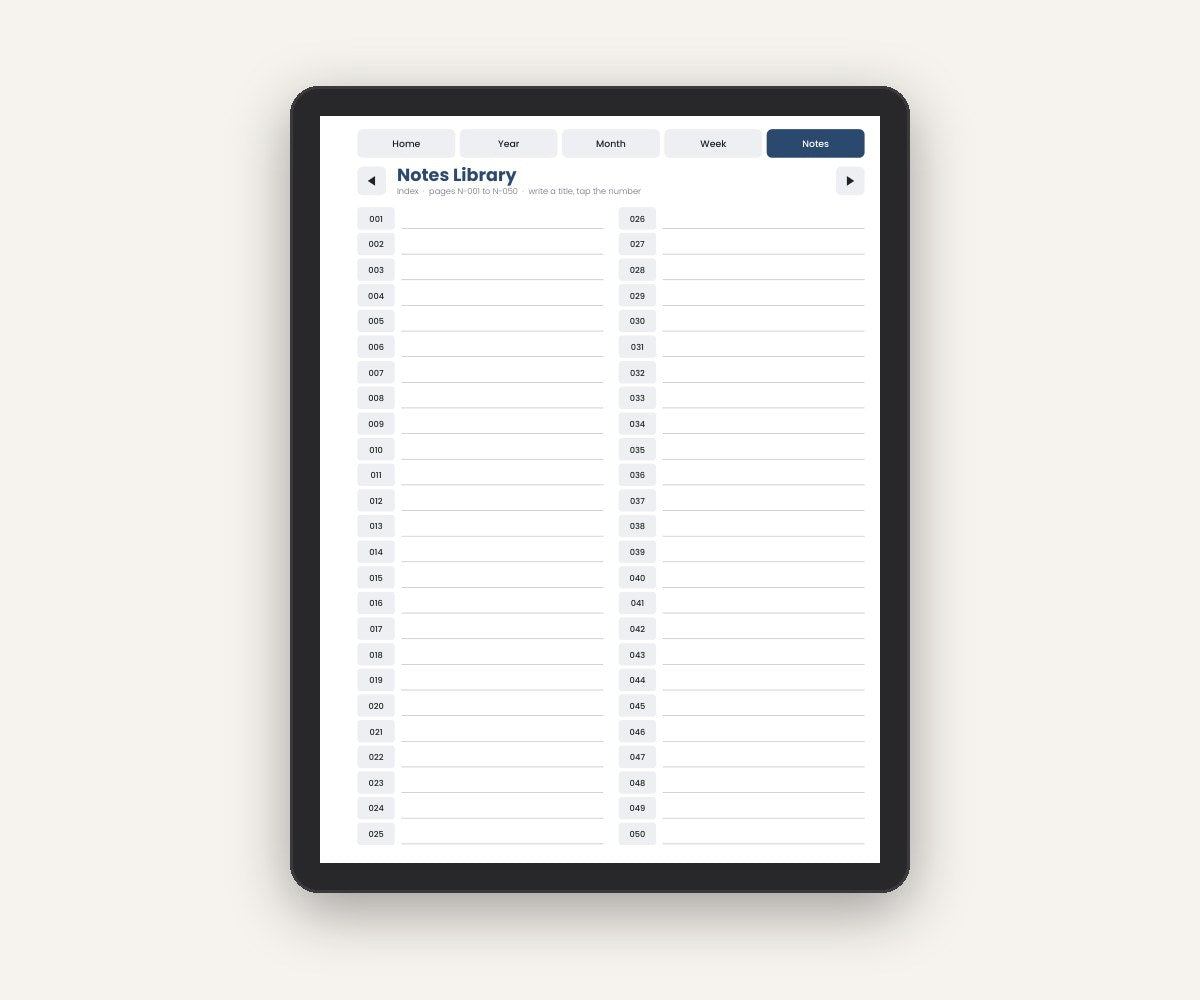
An index instead of a search subscription
Every note has a code. Write a title next to it in the index, tap the code, and you're there. Handwriting search not required.
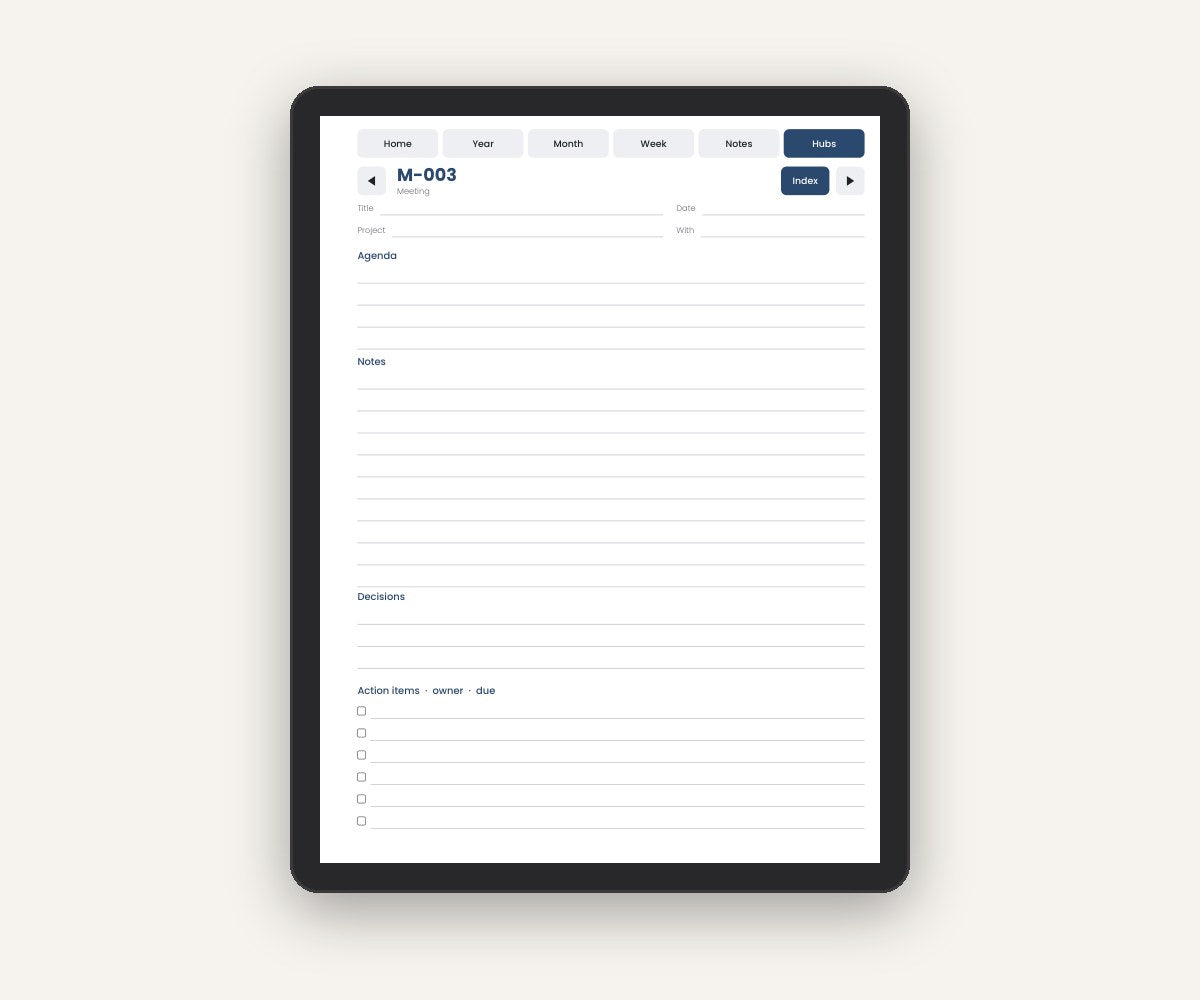
Every meeting, project and person in one place
Agenda, notes, decisions and action items with owners. 200 indexed meeting pages, 25 project hubs and 30 people pages with a running 1:1 log.
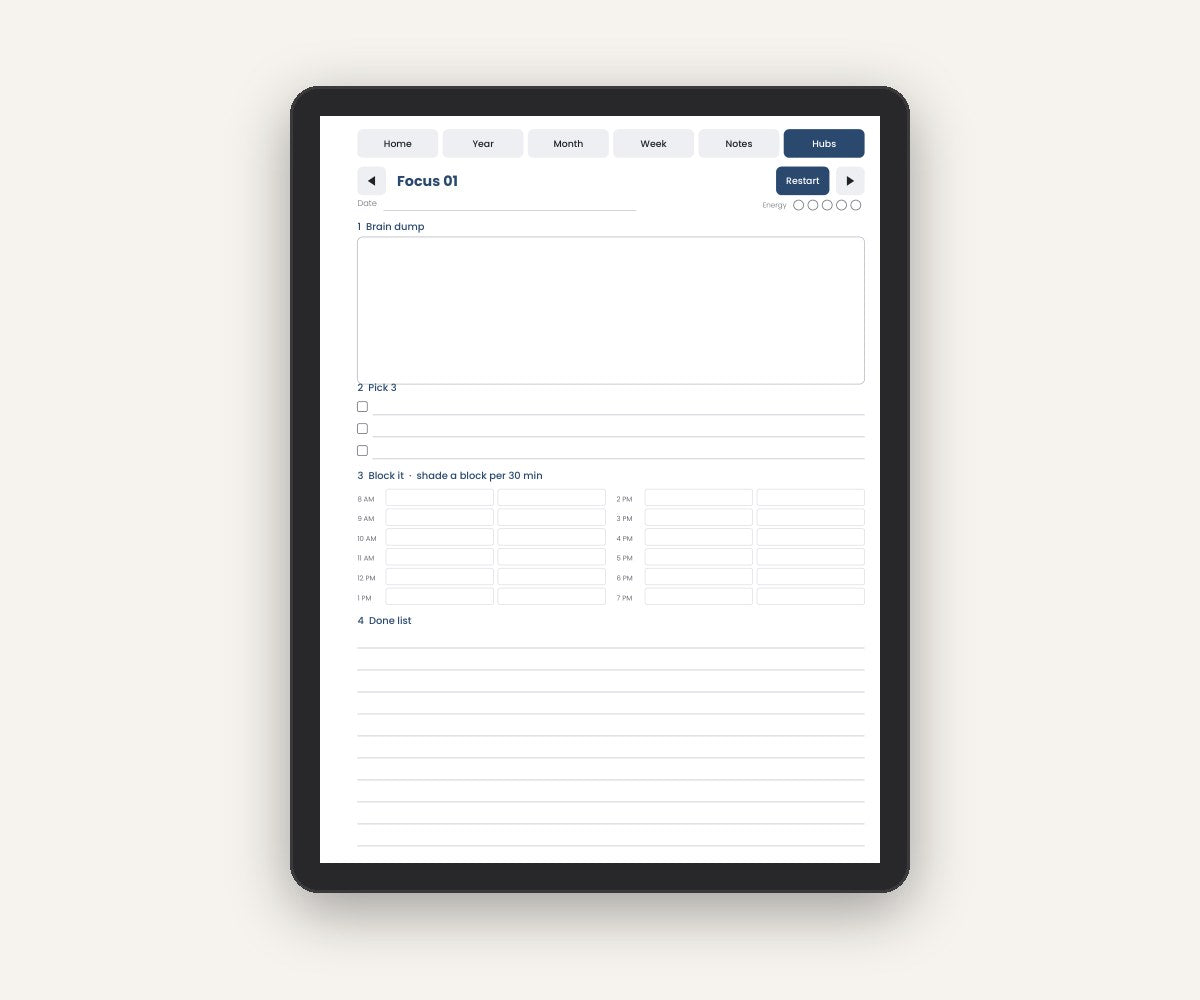
A no-guilt Focus Planner
Undated pages designed with ADHD-friendly principles: dump your thoughts, pick 3, block your time, celebrate what's done. Fell off? Tap Restart and begin again.
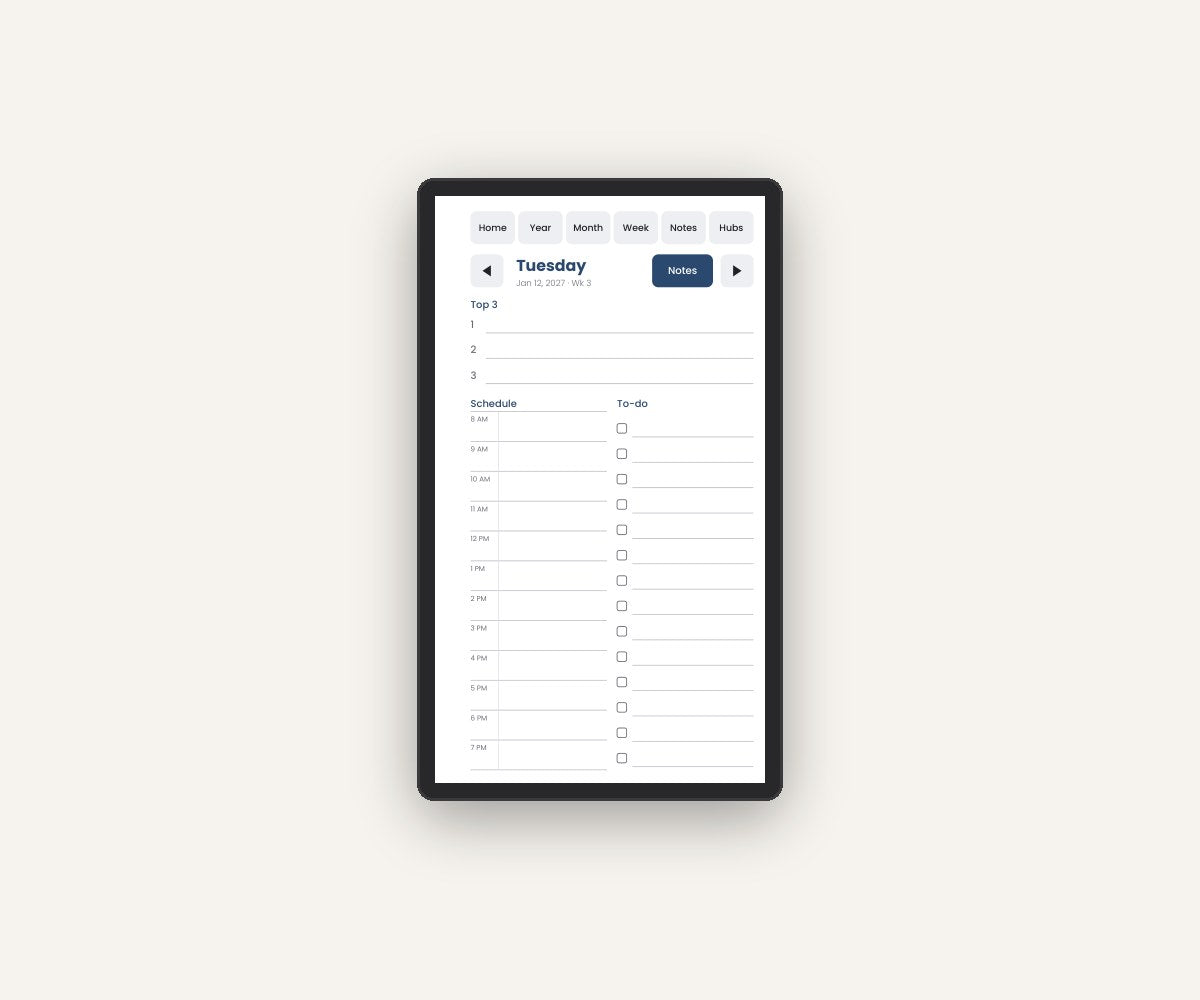
Made for 7.3 inches. Not squeezed into it.
A native 9:16 version with big, thumb-friendly tabs and weeks split over two pages, so nothing feels cramped.
Exclusive free bonuses
Included with the Complete edition.
Tag & Search Playbook
How to combine tags, codes and indexes to find anything on your reMarkable.
Free 2028 edition
Order before January 31 and get next year's planner at no cost.
Lifetime updates
Firmware changes or new reMarkable models: updated files are free.
Priority support
Setup help within 24 hours on business days.
How it works
Set up in under 10 minutes. No tech skills needed.
Download
Get your files instantly after checkout, by email and on the confirmation page.
Drag into the reMarkable app
Desktop app, mobile app or my.remarkable.com. It syncs to your tablet in seconds.
Tap "Start here"
Use your finger to tap links. In 10 minutes your new system is ready.
Ready to get organized?
Choose the edition that fits you. The Complete edition is the best value.
Essentials
- 15-month planner · Oct 2026 – Dec 2027
- Daily page + full notes page for every day
- Year, month and week views
- Notes Library: 100 indexed pages
- All 4 models · right & left-handed
- Start Here guide
Complete
- Everything in Work OS
- Focus Planner · undated, ADHD-friendly design
- Bullet Journal with clickable index + future log
- Capture Inbox (100 pages) + everyday lists
- Habit, mood & reading trackers
- BONUS Tag & Search Playbook
- BONUS Free 2028 edition
- BONUS Lifetime compatibility updates
Work OS
- Everything in Essentials
- Meeting Hub: 200 indexed meetings
- Project Hub: 25 projects
- People & 1:1 log: 30 people
- Action Log: next actions + waiting for
- 6 work templates
🔒 100% secure checkout · Visa, Mastercard, Apple Pay, Google Pay, PayPal · Pay once, no subscription
Questions
Which reMarkable models does it work on?
reMarkable 2, Paper Pure, Paper Pro and Paper Pro Move. Every edition includes native files for each model, in right- and left-handed versions, with Sunday or Monday week start.
Do I need a reMarkable Connect subscription?
No. TwoTap is a hyperlinked PDF. It works on any reMarkable without Connect. You pay once and keep it.
How do I install it?
Download the ZIP, open the folder for your device, and drag the PDF into the reMarkable desktop or mobile app (or my.remarkable.com). A "Read me first" guide tells you exactly which file to use.
How do the links work?
Tap them with your finger, not the Marker. That's how reMarkable handles links in PDFs. You write on every page with the Marker as usual.
Is it the same as a reMarkable template?
It's a PDF notebook: you write directly on its pages and tap to navigate. It does not appear in the reMarkable template menu, which does not support custom templates.
What if something doesn't work?
Our Compatibility Guarantee: contact us within 30 days. We send you a fixed version for free, or refund you if we can't solve it.
Other questions?
Write to us from the Contact page. We reply within 24 hours on business days.
Your reMarkable, finally organized.
One calm system. Everything 2 taps away. No subscription.
Choose your editionTwoTap Planner is an independent product and is not affiliated with, endorsed or sponsored by reMarkable AS. reMarkable, Paper Pro, Paper Pure and Paper Pro Move are trademarks of their respective owner.
This site is not a part of the Facebook website or Facebook Inc. Additionally, this site is NOT endorsed by Facebook in any way. FACEBOOK is a trademark of FACEBOOK, Inc.